



How to EQ Your Mic in Minutes Using Frequency Sweeping
“Why does my mic still sound off, even after EQ?”
It’s a common frustration for streamers, podcasters, and content creators. You’ve dialed in your EQ, but something still sounds harsh, boxy, or muddy. The truth is, one or two stubborn frequencies can ruin an otherwise great mix.
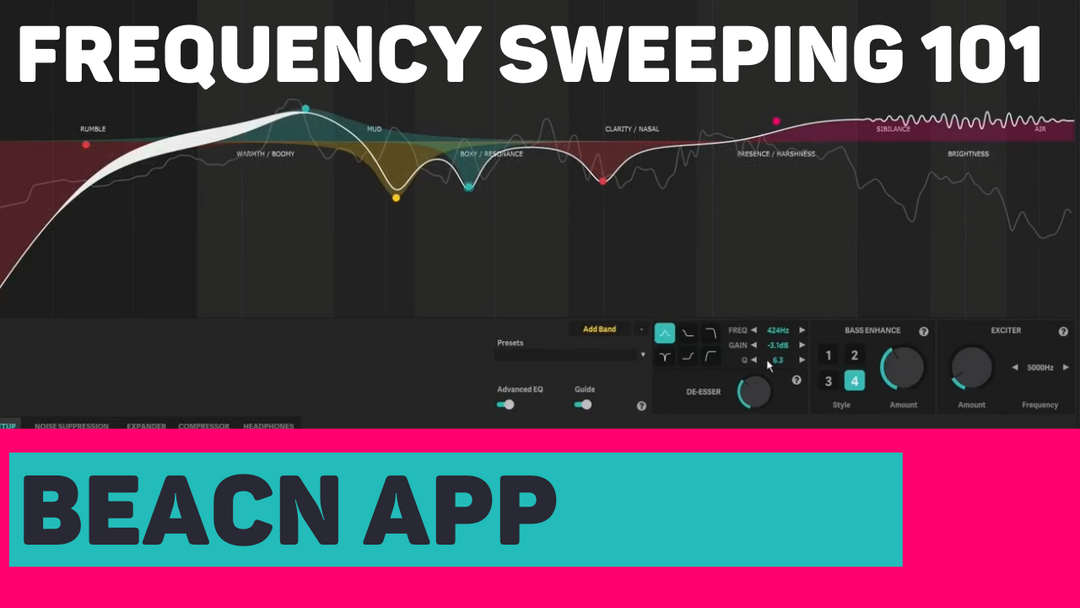
That’s where frequency sweeping comes in. It’s a quick, powerful technique that helps you identify and remove those problem spots—so you can EQ your mic the right way in minutes. And with the BEACN App, the easy visualization of your EQ and voice makes it an absolute breeze!
“What is frequency sweeping and why does it matter?”
Frequency sweeping is the secret to professional-sounding audio. Instead of guessing which part of your EQ is causing issues, you temporarily boost a narrow band and slide it across the frequency spectrum.
When you hit the offending frequency, it jumps out—it might sound nasal, shrill, or just plain wrong. Once you find it, you can cut it back and instantly improve your mic sound. This is one of the fastest ways to properly EQ your mic without endless trial and error.
“How do I set up a frequency sweep in my EQ?”
Setting up a sweep only takes a minute, especially if you're using BEACN Mic or BEACN Studio:
- Add a Band: Drop a new band onto your EQ (often defaulted near 1,000 Hz).
- Boost the Gain: Raise the gain all the way up (around +12 dB). This makes the target frequency stand out.
- Narrow the Q: Increase the Q value (9–10) to sharpen the peak.
Now you’ve created a tall, narrow spike—your sweeping tool for finding trouble frequencies.
“How do I find which frequencies to cut?”
Here’s where the magic happens:
- Sweep left and right: Slowly drag the frequency point across the EQ range while talking or playing a recording of your voice.
- Keep it precise: Use the frequency number control instead of the EQ dot. This prevents accidental changes in gain or Q.
- Listen carefully: When a sound suddenly becomes harsh, nasal, or boxy, you’ve found the culprit.
This is the single fastest way to find which EQ settings your mic really needs.
“How do I cut problem frequencies without ruining my sound?”
Once you’ve found the problem area:
- Lower the Gain: Drop the boosted band into the negative range (–3 dB is a safe starting point).
- Widen the Q: After cutting, reduce the Q value to spread the adjustment more naturally.
This smooths out your voice without creating sharp notches or artificial-sounding EQ.
“Can you overdo mic EQ?”
Yes—and that’s the #1 mistake many creators make. Cutting too many frequencies can make your mic sound thin, flat, or overly processed.
Remember: EQ is meant to enhance your natural voice, not change it. Every voice is unique, and subtle adjustments go a long way. Use sweeping to tame problem spots, then stop before your sound becomes unnatural.
Final Takeaway
If you want to EQ your mic in just a few minutes, frequency sweeping is the key. It’s fast, effective, and one of the easiest ways to get broadcast-quality sound without spending hours tweaking.
We designed BEACN App with creators in mind—so tools like sweeping are simple, precise, and built to help you sound your best. Because when your audio is clear and polished, your content shines.





Leave a comment